.png)
AI Hub August Update: Linked Deployments, User Roles, and Usage Tracking


We’re kicking off the latest release with exciting product updates that make it easier to build, govern, and scale enterprise workflows. The August update focuses on key areas: linked deployments, user roles, and usage tracking, designed to streamline configuration, strengthen governance, and give teams deeper visibility across the platform.
Are you a visual learner? We also hosted a product webinar showcasing these updates in action. Check out the highlights below — or watch the full recording here.
Safe, seamless deployments
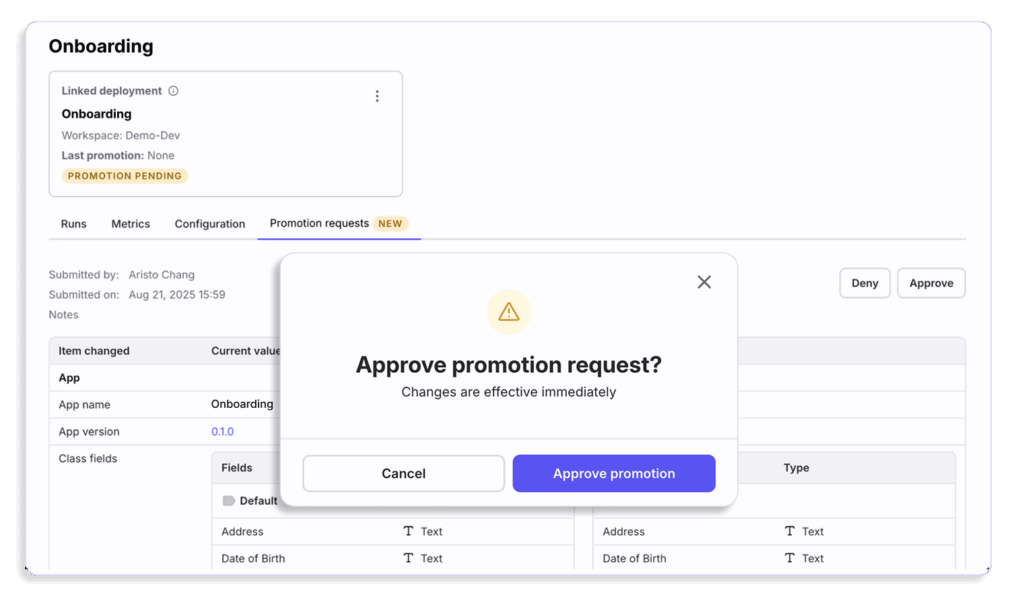
With new linked deployments, you can connect development and production environments, enabling teams to automatically promote validated changes—without disrupting production processes. Builders can configure and test updates in a dedicated development workspace, using its own isolated data. Once validated, they can submit a promotion request to the production workspace owner, who can review and approve or deny the change.
This structured SDLC-driven process ensures production remains stable and secure, while enforcing strict data access controls—keeping production data off-limits to teams that shouldn’t have access. When a request is approved, all changes roll over automatically into production, instantly becoming part of live operations. The result: faster, safer deployments with clear governance every step of the way.
Expanded roles for control and compliance
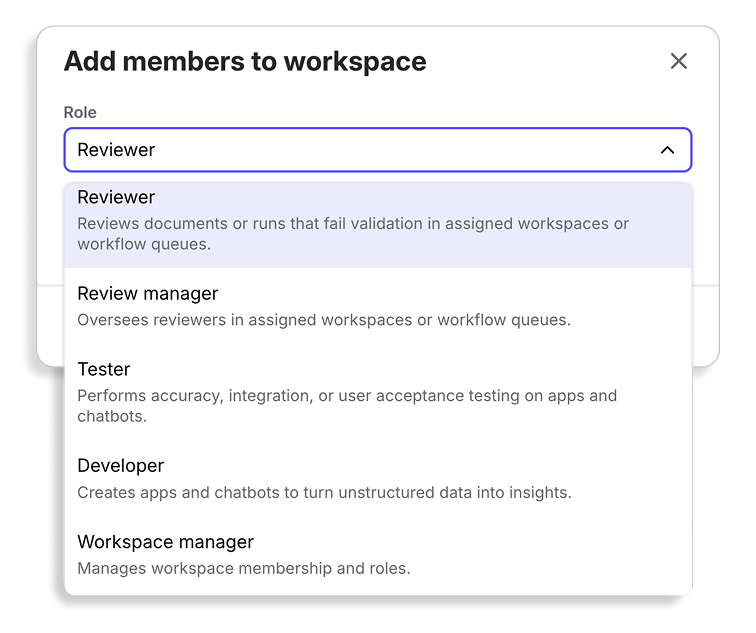
We’ve expanded our user roles to better align with common job functions, including dedicated roles for Reviewer, Review Manager, Tester, Developer, and Workspace Manager. These roles provide more granular control over permissions, ensuring each user has exactly the access they need to perform their work.
Reviewers can focus solely on validation tasks, testers can run checks without impacting live processes, and developers can build confidently in designated environments. Workspace Managers maintain oversight of it all—streamlining approvals, managing configurations, and keeping operations on track.
With fine-grained roles, you can support your existing workflows while strengthening security, compliance, and operational efficiency across the platform.
Granular usage tracking
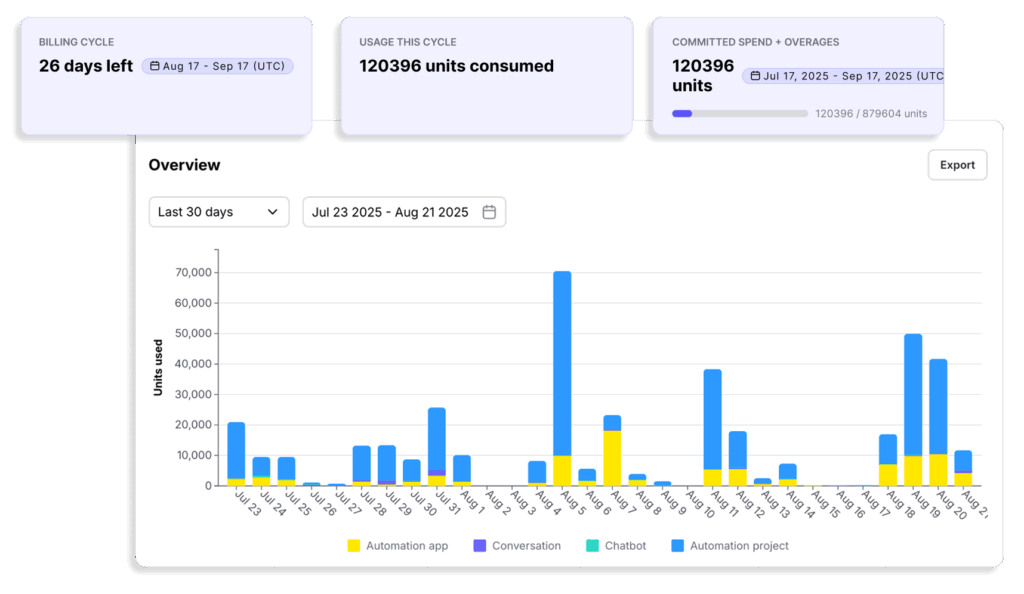
We’ve enhanced our usage analytics to give you a clear, detailed view of how units are being consumed—across time periods, products, and the entire organization. You can now drill down by type, source, team member, and workspace to see exactly where and how usage is happening.
This level of visibility makes it easier to track consumption trends, allocate resources more effectively, and ensure usage stays aligned with business priorities.

Further Reading


%20(2).png)
.png)
